
Companies across manufacturing, nonprofits, and B2B services, are demonstrating a pattern that is hard to ignore.
Companies pay for Enterprise but use it like Pro.
They pay for Pro but use it like Starter.
And in almost every account, the same handful of powerful features sit completely dormant while monthly invoices keep rolling in.
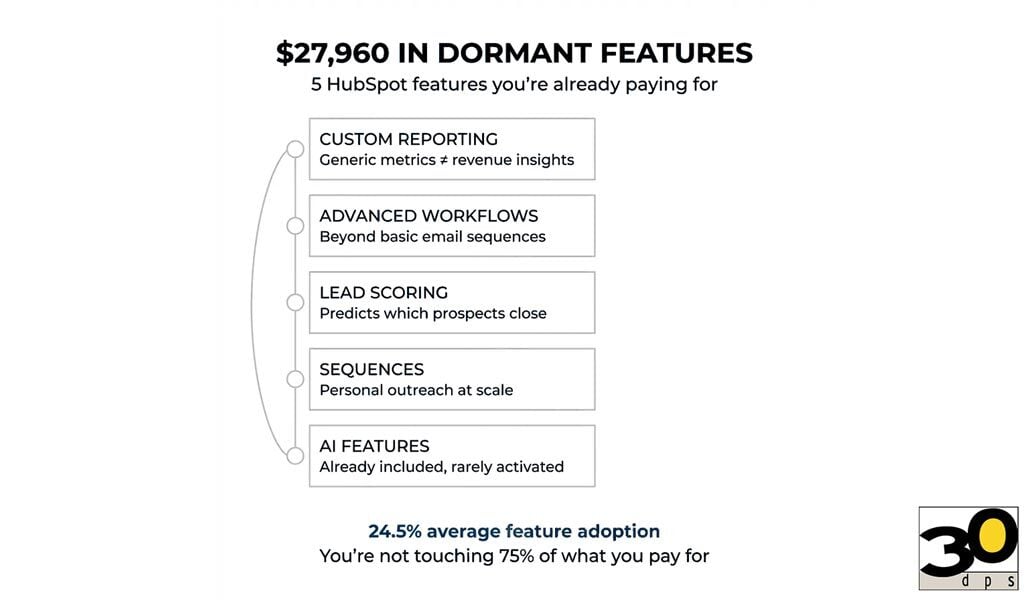
Here’s what that costs you: $27,960 per account over three years in unrealized revenue and productivity loss from what the industry increasingly refers to as feature adoption debt.
That number isn’t theoretical.
It’s the measurable gap between what you’re paying for and what you’re actually using — and the downstream impact that gap has on revenue, efficiency, and decision-making.
The Utilization Gap Nobody Talks About
When I open a new client’s HubSpot portal for the first time, I run the same diagnostic.
I look at:
-
Workflow history
-
Custom report usage
-
Sequences adoption
-
Lead scoring configuration
-
Advanced feature activation across Marketing, Sales, and Ops
The results are consistent enough to predict.
Industry research suggests that most teams use less than a quarter of the functionality in enterprise SaaS platforms, with median feature adoption closer to 15–20%. Forrester’s Total Economic Impact (TEI) framework explicitly calls out underutilization as one of the largest hidden drags on ROI in marketing and CRM platforms.
You’re not touching three-quarters of what you’re paying for.
And this isn’t about learning curves or training gaps.
I’ve seen teams with HubSpot certifications, dedicated marketing ops managers, and years of platform experience still leaving massive capability unused.
The problem isn’t competence.
It’s awareness.
The Five Features Sitting Dormant in Your Account Right Now
After reviewing 50+ HubSpot portals, these are the capabilities I find gathering dust in almost every account.
1. Custom Reporting
(The One Everyone Thinks They’re Using)
You have dashboards.
You check them regularly.
You feel informed.
But in most cases, you’re looking at default reports, not custom reports built around your business model, funnel, and revenue mechanics.
Default reports show you what HubSpot thinks matters.
Custom reports show you what actually drives revenue in your organization.
The difference becomes obvious when you need answers to questions like:
-
Which content assets actually correlate with closed-won deals?
-
What’s the real MQL-to-SQL conversion rate by source?
-
Where do deals stall — and why?
-
Which sales behaviors consistently predict higher close rates?
Default dashboards can’t answer those questions.
Custom reports can.
What this costs you:
Strategic decisions based on generic metrics instead of the data that actually predicts revenue outcomes.
2. Advanced Workflow Automation
(Beyond Basic Email Sequences)
Most teams use workflows to send emails.
Send email one.
Wait three days.
Send email two.
Maybe create a follow-up task.
That’s not automation.
That’s a scheduled email series.
HubSpot’s workflow engine can respond to behavioral signals, lifecycle changes, deal movement, property updates, list membership, and engagement patterns in real time.
And that matters — because response timing matters.
MIT and InsideSales research found that leads contacted within five minutes are up to 8x more likely to convert, and that the odds of even reaching a lead drop dramatically after the first few minutes.
Yet I routinely see Enterprise portals with hundreds or thousands of leads and fewer than five active workflows, most of them linear.
What this costs you:
Manual work that should be automated, slower responses to buying signals, and opportunities that slip through simply because no system was watching.
3. Lead Scoring
(The Feature That Predicts Revenue)
Lead scoring sits unused in most portals I audit.
When I ask why, the answer is usually some version of:
“We tried it once, but it didn’t seem accurate.”
That’s because lead scoring isn’t a switch you flip.
It’s a model you refine.
Teams that use it effectively don’t guess at point values. They analyze which behaviors and attributes actually correlate with closed-won deals, then score accordingly.
They test.
They adjust.
They treat it like the predictive tool it is.
When done right, lead scoring doesn’t change your leads — it changes prioritization. And prioritization is where revenue is won or lost.
What this costs you:
Sales teams spending time on low-intent leads while high-intent buyers cool off waiting for attention.
4. Sequences
(The Sales Tool Marketing Teams Ignore)
Because sequences live in Sales Hub, marketing teams often overlook them entirely.
But sequences aren’t just for cold sales outreach. They’re ideal for any one-to-one communication that should feel personal but follow a structured cadence.
I’ve used sequences for:
-
Customer onboarding
-
Event follow-up
-
Renewal conversations
-
Partnership outreach
-
Content collaboration requests
The distinction matters.
Workflows are automated.
Sequences are human-sent.
That difference makes sequences one of the most underutilized — and powerful — tools in the platform.
What this costs you:
Personalized follow-up at scale that never happens because teams default to mass emails or ad-hoc one-offs.
5. AI-Powered Features
(The Capabilities You’re Already Paying For)
HubSpot has steadily embedded AI across the platform — content optimization, subject line recommendations, predictive insights, chatbot intelligence, and reporting assistance.
Most of these features are already included in paid subscriptions.
Yet McKinsey reports that while AI can drive 10–15% revenue lift through personalization and efficiency, most organizations lag not because of access, but because of activation.
I see AI features sitting idle in Enterprise portals every week — not because teams resist AI, but because they don’t realize what’s already available.
What this costs you:
Working slower, writing weaker, and converting less efficiently than competitors using the same platform more effectively.
Why Smart Teams Still Miss These Features
This isn’t about lazy users or bad training.
It’s about how software adoption actually works.
During implementation, teams focus on the basics:
-
Email marketing
-
Contact management
-
Forms and landing pages
-
Basic reporting
Those solve immediate problems. Pressure eases. Attention shifts elsewhere.
Advanced capabilities never make it onto the roadmap — not because they aren’t valuable, but because the basics feel “good enough.”
But good enough isn’t what you’re paying for.
You’re paying for automation that compounds, data that clarifies decisions, and systems that scale without adding headcount.
You’re just not using them.
The Real Cost of Dormant Features
The $27,960 per account figure reflects direct adoption debt — unused functionality relative to subscription cost, modeled conservatively using SaaS utilization benchmarks and Forrester TEI methodology.
But that’s only the visible cost.
The real cost is opportunity cost.
Every month advanced workflows sit idle, people do manual work that shouldn’t exist.
Every week custom reporting goes unused, decisions are made with partial information.
Every day lead scoring isn’t trusted, the wrong prospects get attention.
That compounds.
Validity’s 2024 CRM data study found that nearly a third of organizations attribute at least 20% revenue loss to poor CRM data and underutilization.
Unused features don’t just sit there.
They quietly erode ROI.
How to Audit Your Own Account
You don’t need a consultant to spot dormant features.
Start here.
Custom Reporting
-
When did you last build a new custom report?
-
Can your dashboards answer buyer-journey questions?
-
Do you know which assets influence closed deals?
Workflows
-
How many active workflows exist?
-
How many respond to behavior — not just time delays?
Lead Scoring
-
Is it turned on?
-
When was it last adjusted?
-
Does sales trust it?
Sequences
-
Who has access?
-
How many sequences exist?
-
When was the last one created?
AI Features
-
Can you name three included AI capabilities?
-
Have you tested any in the last 90 days?
If you answered “no” or “I don’t know” more than half the time, you’re carrying adoption debt.
What Activation Actually Looks Like
Activation isn’t about using everything.
It’s about activating the right things.
One manufacturing client was manually segmenting contacts every month — four hours of work. Three workflows eliminated it entirely.
Another client had a marketing-sales disconnect over lead quality. We implemented lead scoring based on closed-won data. Within 30 days, sales conversations improved — without changing lead volume.
Same leads.
Better prioritization.
That’s activation.
The Question You Should Be Asking
The question isn’t whether you’re using HubSpot.
You are.
The question is whether you’re using what you’re paying for.
If you’re on Pro but operating like Starter, you’re overpaying.
If you’re on Enterprise but using Pro-level features, you’re leaving revenue on the table.
After 35 years helping organizations get ROI from technology, I’ve learned this:
The biggest returns don’t come from buying more tools.
They come from fully using the ones you already have.
Your HubSpot account has dormant capabilities that could automate work, sharpen decisions, and improve conversion rates.
The only question is whether you’ll activate them before your next renewal.
—
At 30dps, we’ve been building HubSpot solutions since the platform launched. We help teams uncover adoption debt, activate high-impact features, and turn underused tools into measurable growth. If you want to know what your dormant features are costing you, let’s talk.